How to Move a Deal in Pipeline
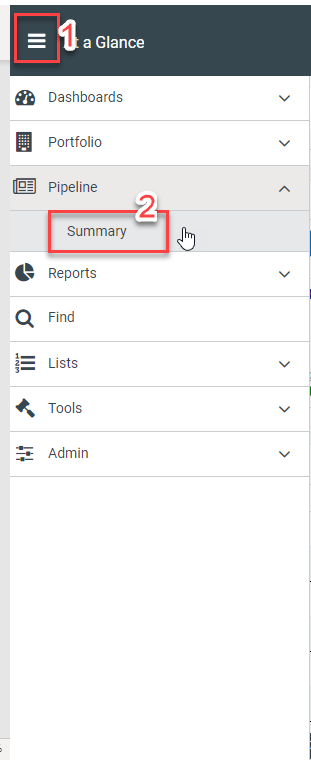
To move a deal in your pipeline from one stage to another, start by navigating to your Pipeline Summary.
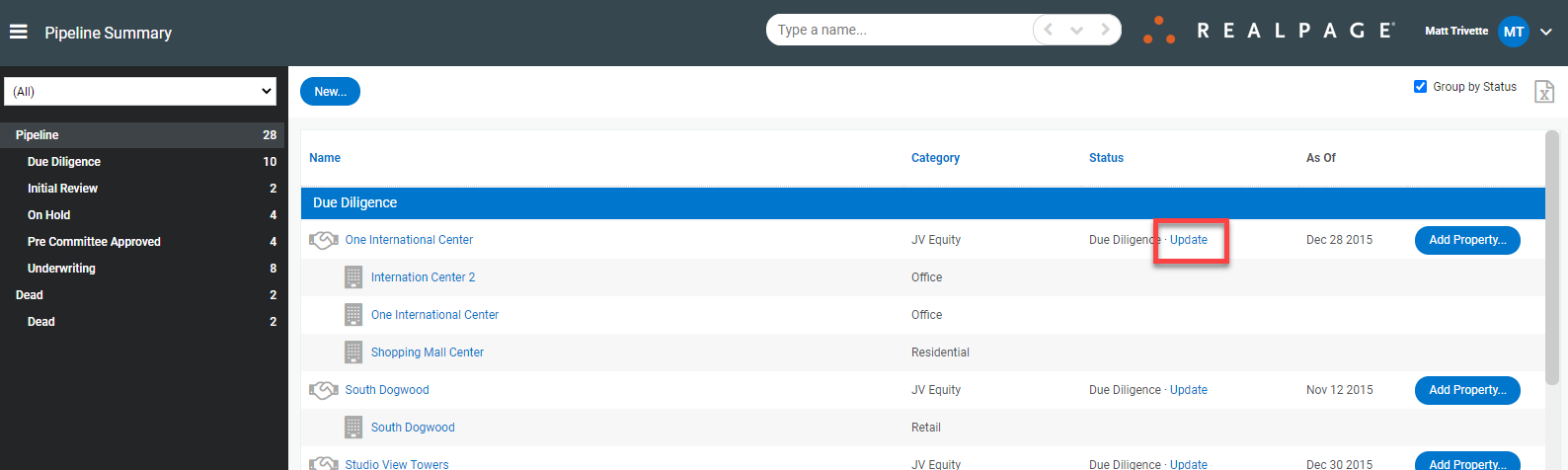
From the pipeline summary, click the blue Update button under the status column for the particular property you wish to change.
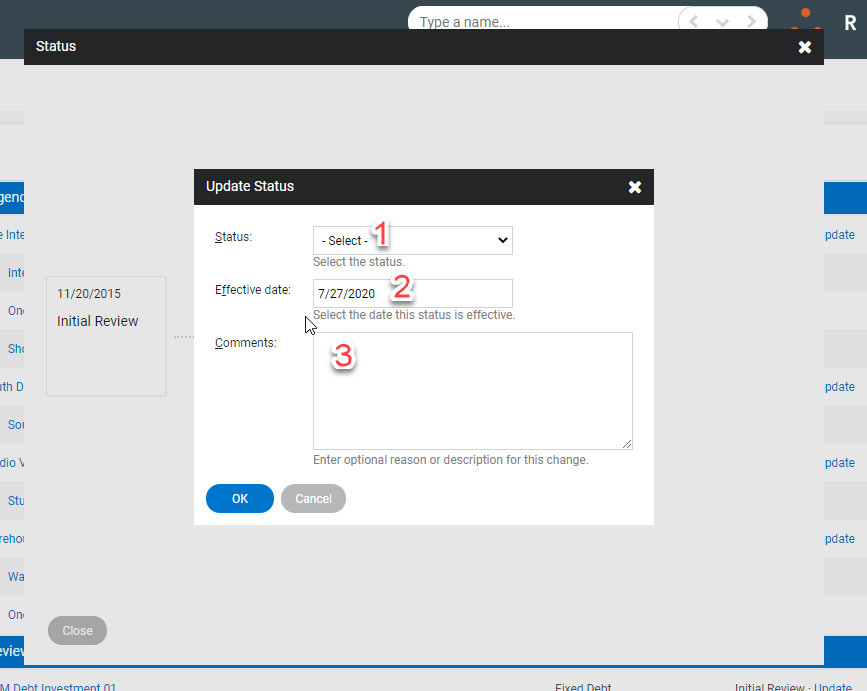
When the status menu pops up, click the 'Click to add status' box then select the updated status from the drop-down menu and input the effective date and comments (optional).