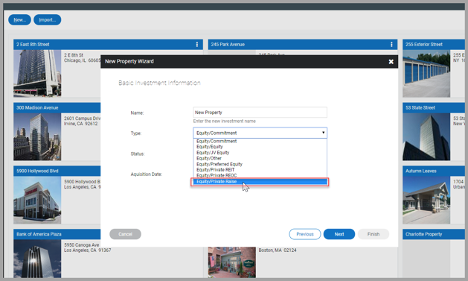
Creating an Investment Type
When creating a property, you’ll be prompted to select an investment type that corresponds to the property type. You are able to create and define the investment type options available within your account.
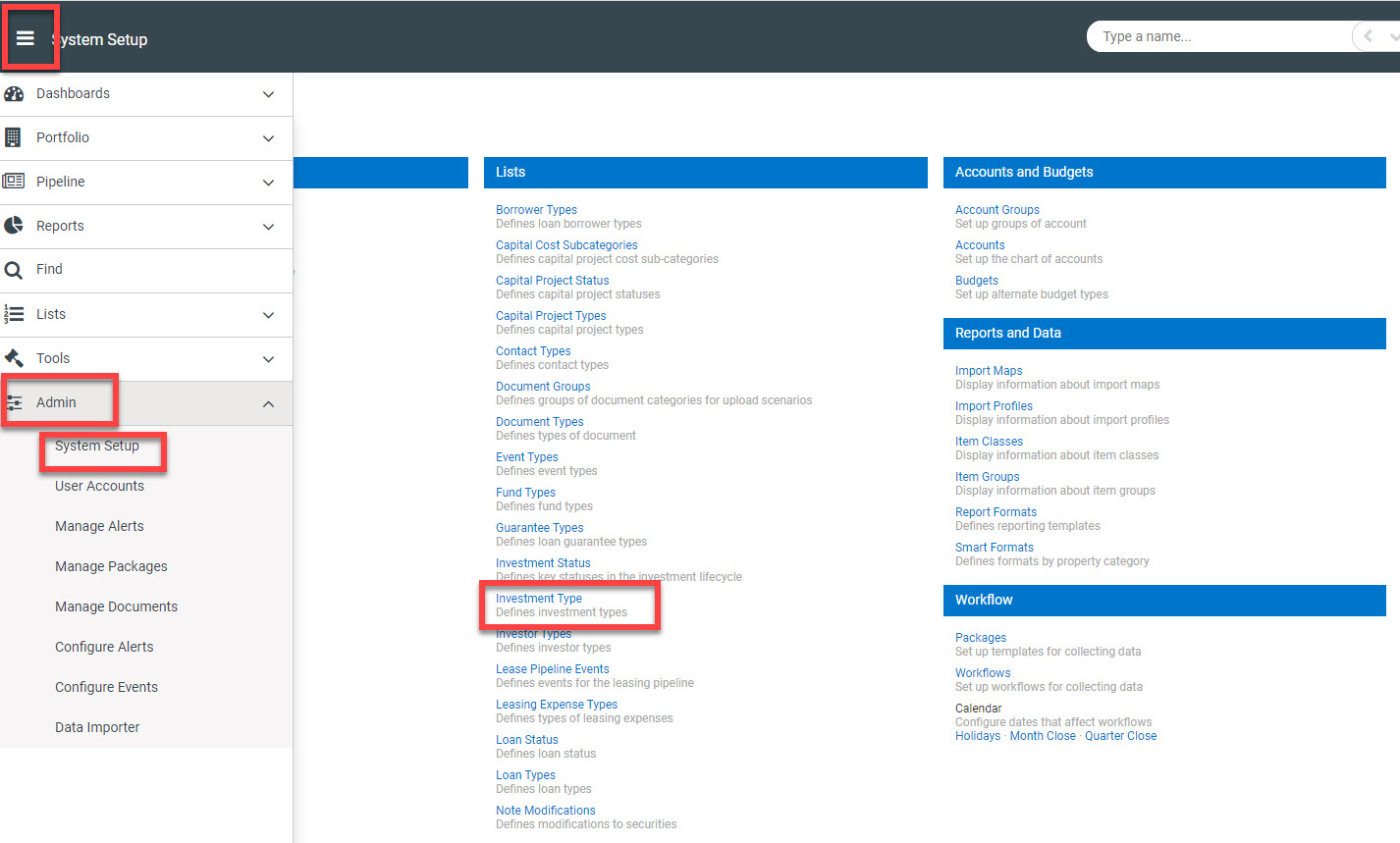
To create a new investment type, you’ll want to click the Menu icon > Admin > System Setup > Click on Investment Type (found under the Lists section).
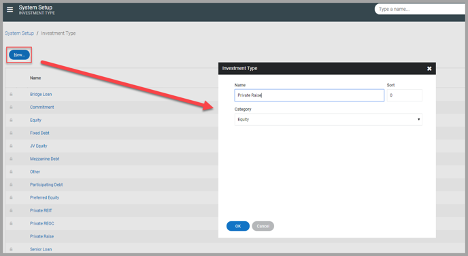
Next, you’ll want to click the blue ‘New’ button in the upper left hand side. This will bring up a small pop up where you’ll be able to enter a Name, Sort and Category.
Once your information is filled in and you’ve clicked OK, you should see the newly selected option available when creating a new property.