RealScore - User Defined Metrics
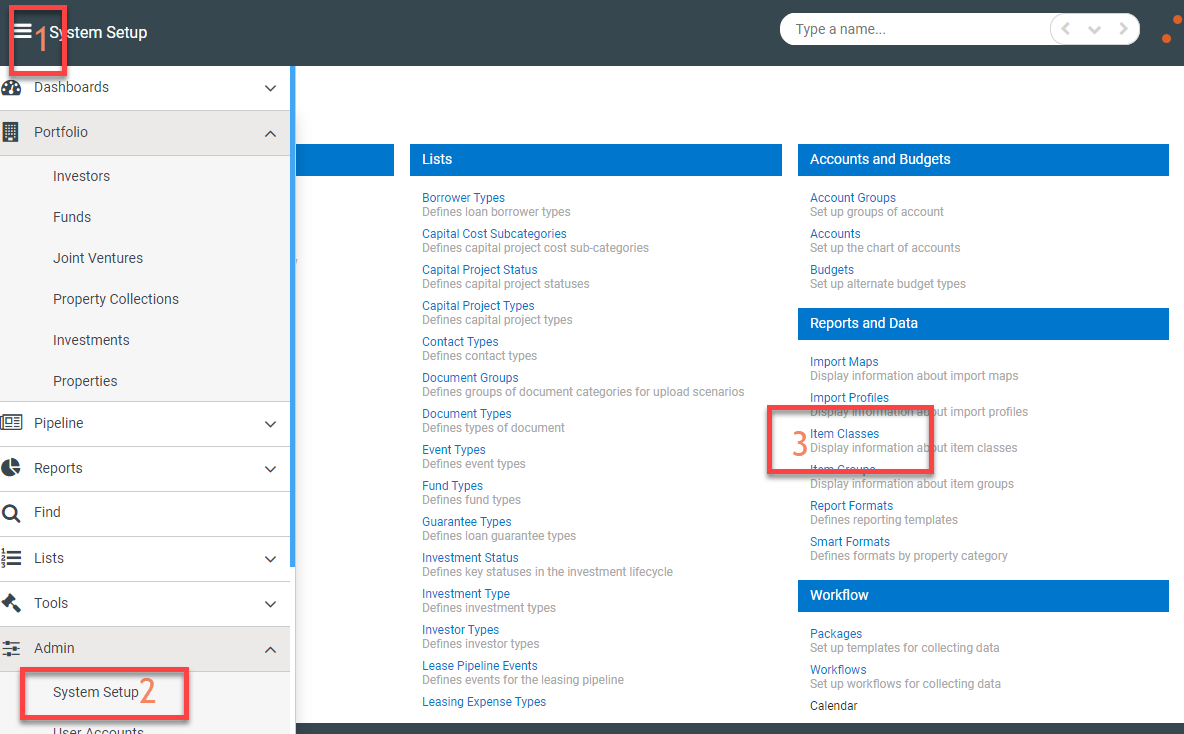
New user defined metrics for RealScore can be added by going to Admin>System Setup>Item Classes
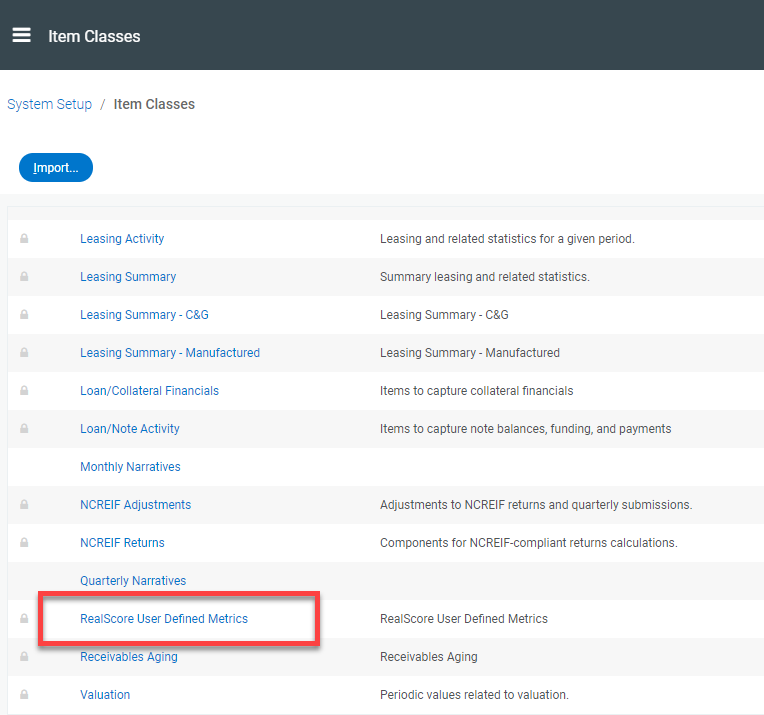
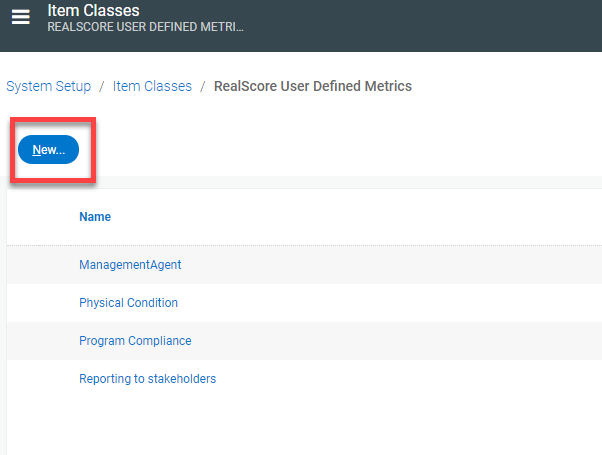
In the Item Classes list, select RealScore User Defined Metrics, then select New
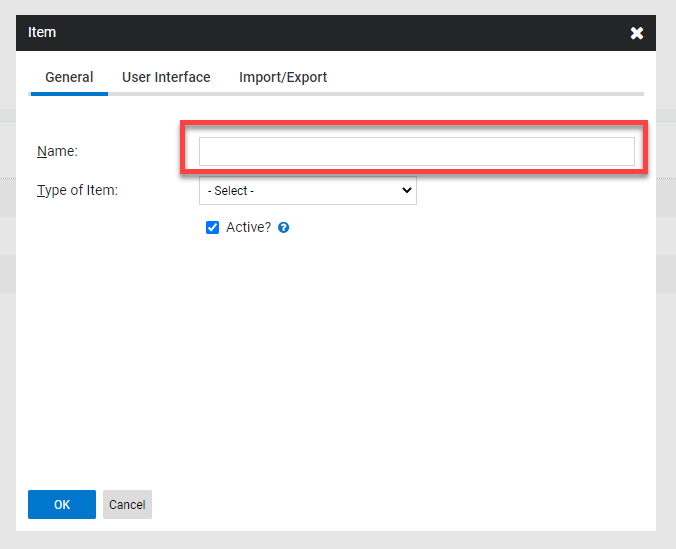
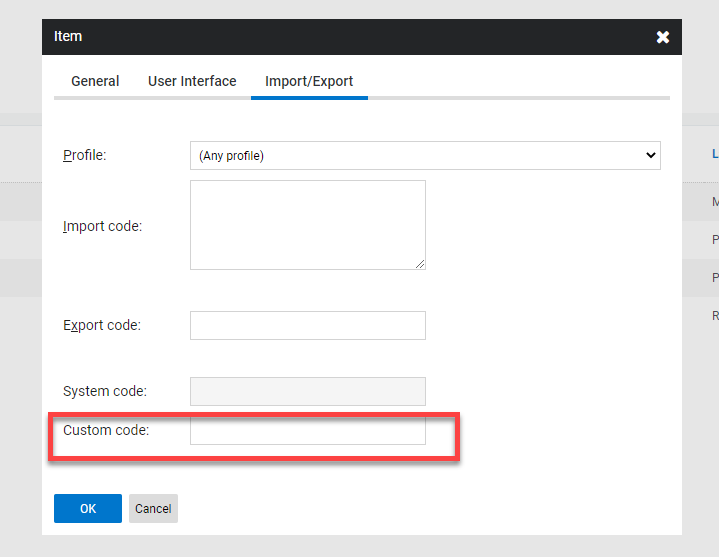
Add a name for the user defined metric then select the Import/Export tab to import the custom code which will be used on your import files for these metrics.
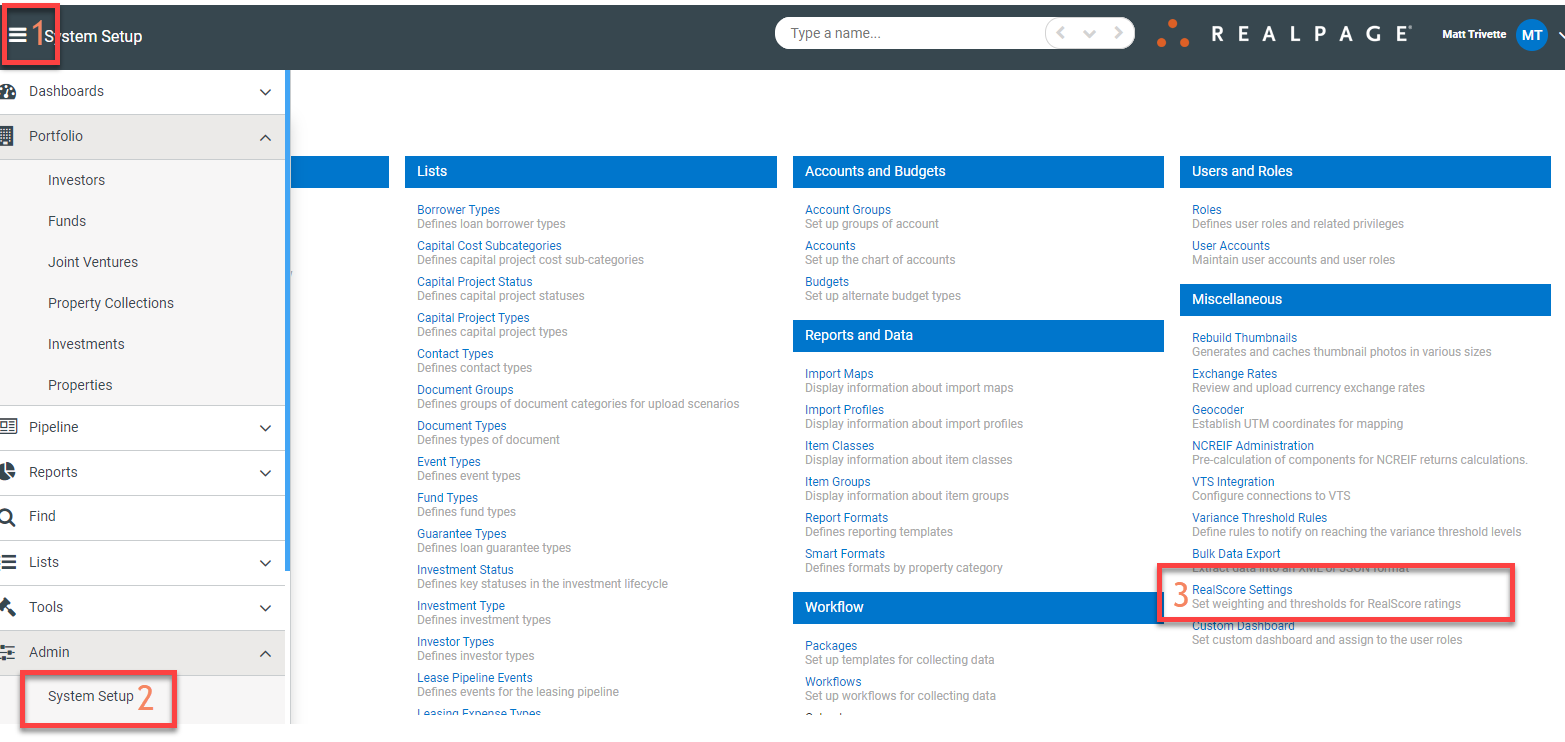
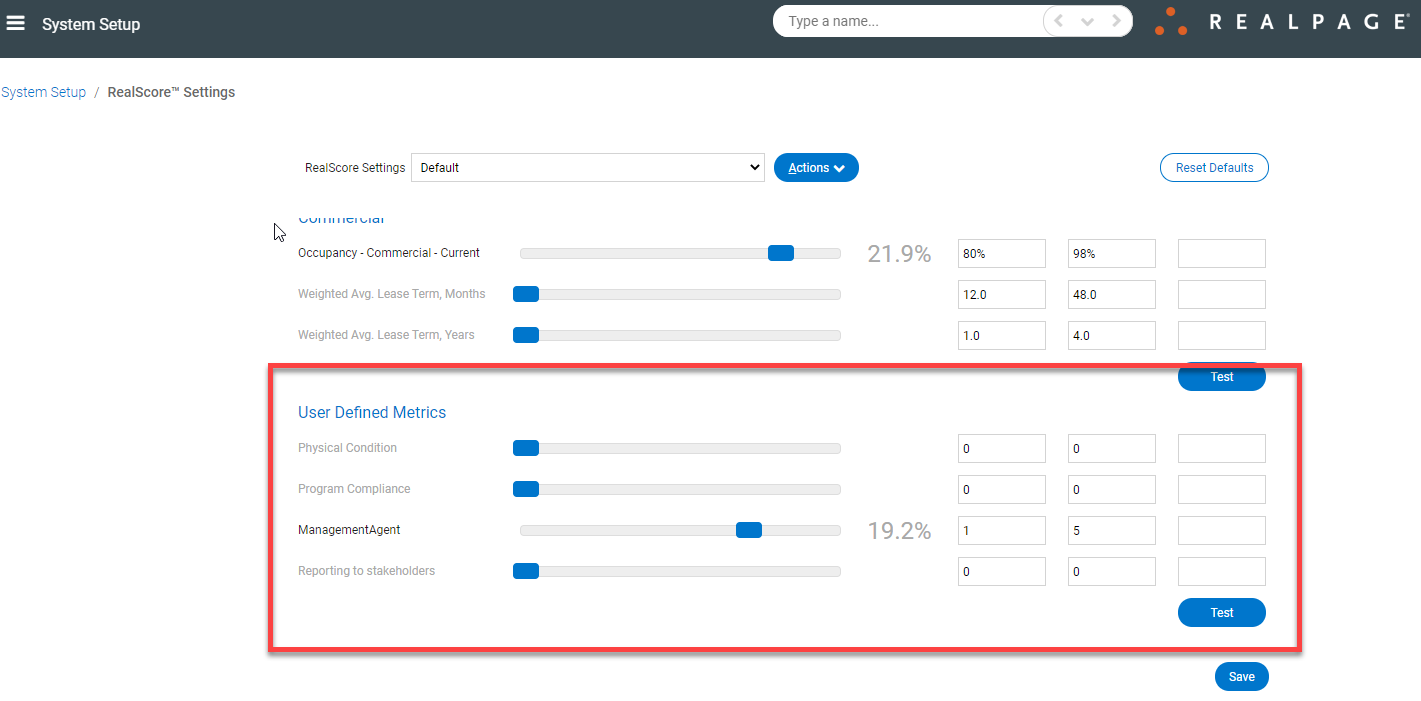
Once you've saved the new metric, go back to System Setup>RealScore Settings and adjust your RealScore weightings to include these new metrics.