Updating Asset Status to Sold
To update the status of an asset to Sold in the system there are two steps needed to properly update them in AIM, assuming they are no longer submitting financial data.
- Change asset status to Sold
- Notify RealPage by email at aimsupport@realpage.com and request these be removed from the data sync if applicable.
You can change the status of an asset by navigating and executing the following steps:
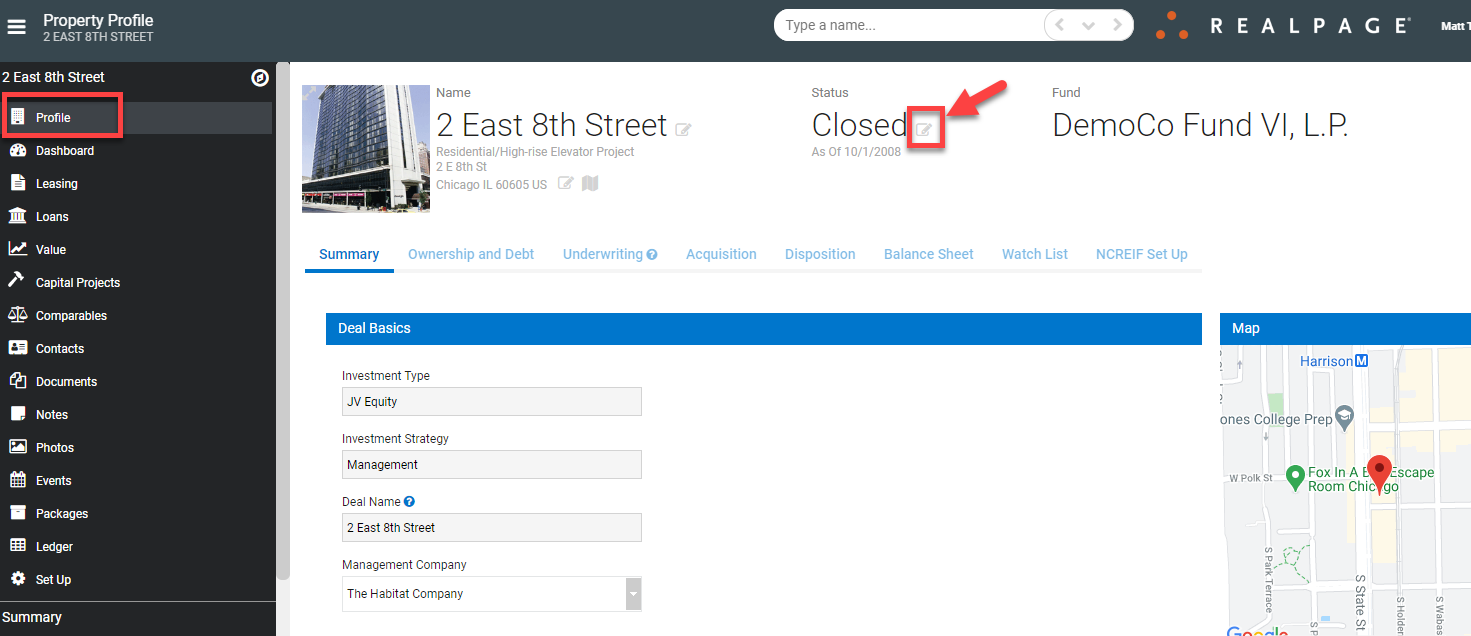
- Navigate to the property profile page
- Update the Status from Closed to Sold
- Click the Edit icon where the status is reflected
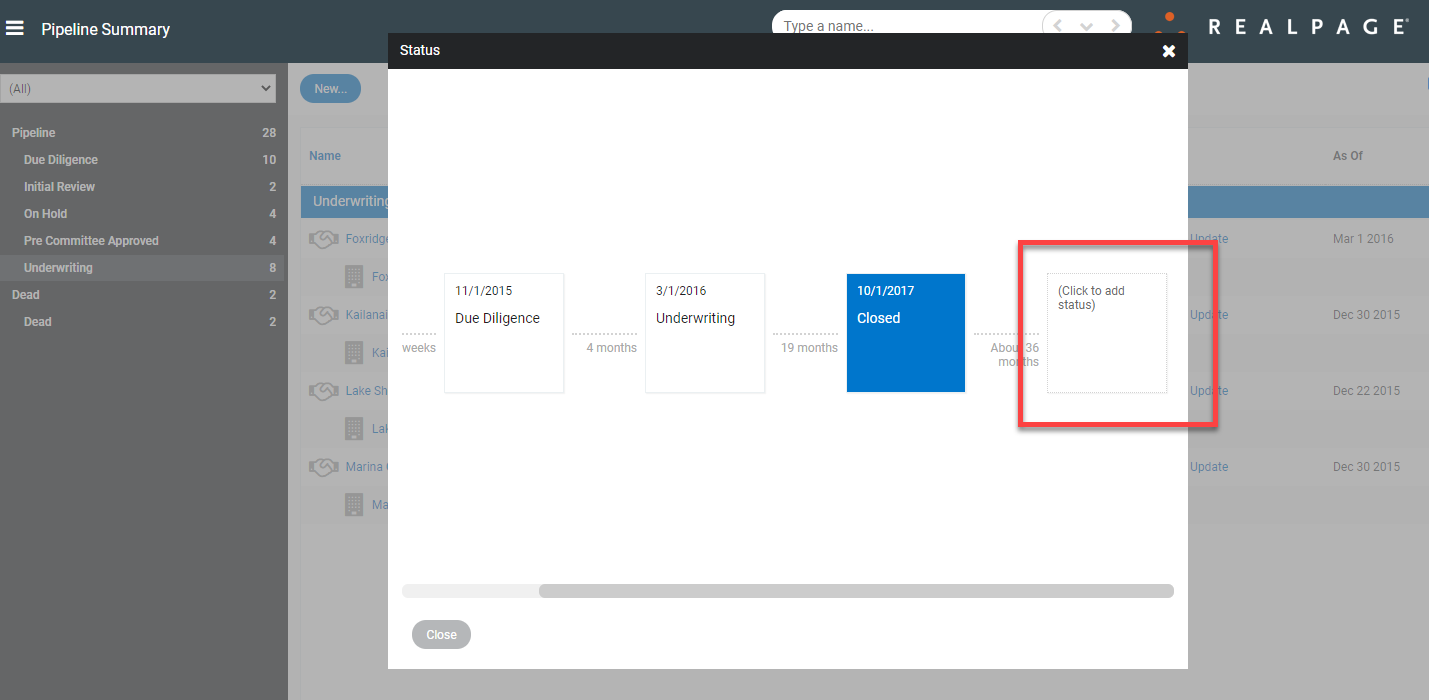
- When the Status dialog box appears, click the blank box to the right of the current status (represented by a blue box)
-
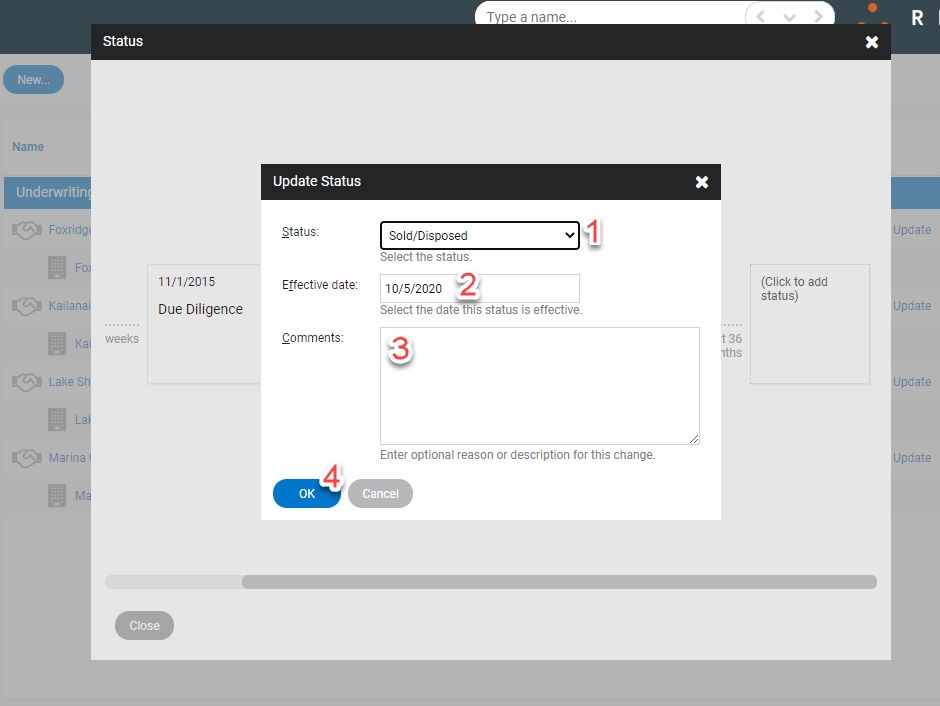
- When the Update Status dialog box opens:
- Click the dropdown to select the current status
- Enter the Effective date
- Enter Comments if desired
- Click OK
- The Status box will now reflect the current status in the blue box
- If this is correct, use the X in the top right corner to save changes & close the dialog box
- If incorrect, either:
- Click the blue box to update the information, or
- Click the blue box and then the Delete button at the bottom right corner