How to Import a Trial Balance
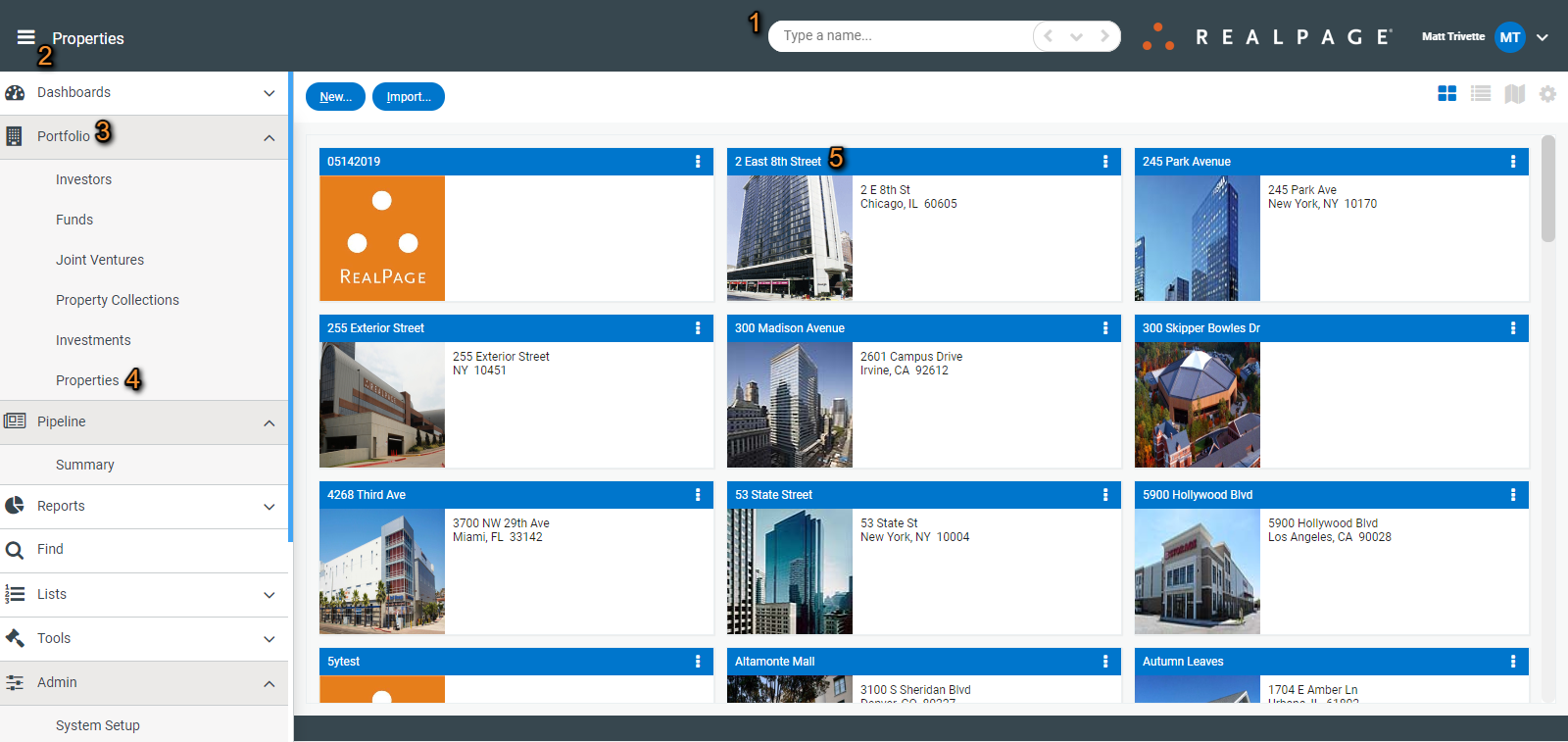
To import a trial balance file directly to the ledger, first navigate to your property by either searching for the property in the search bar (1) at the top of the screen or click the hamburger icon (2) in the upper left and go to Portfolio (3)>Properties (4) to select the property (5) from the list.
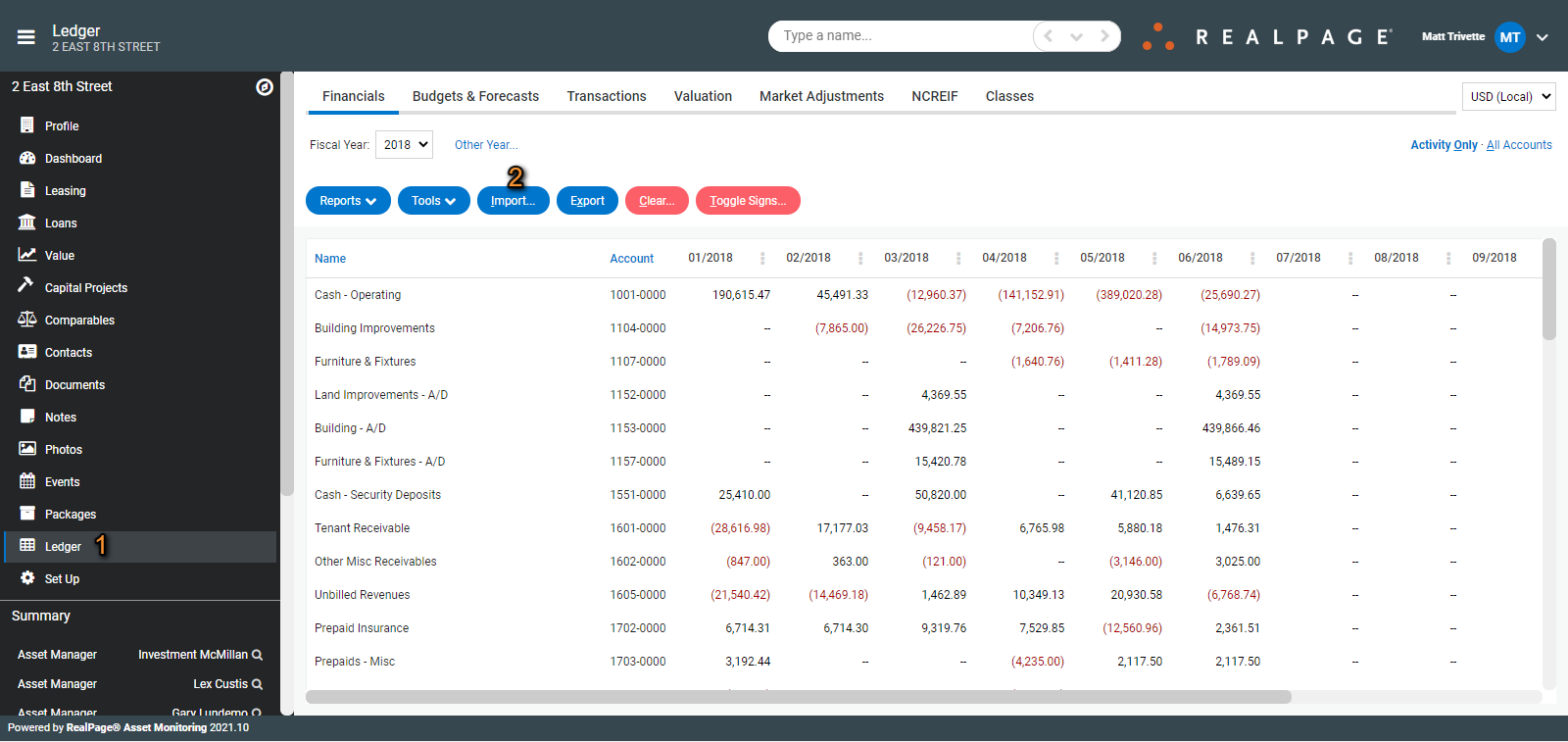
Click on the Ledger (1) tab and then Import (2).
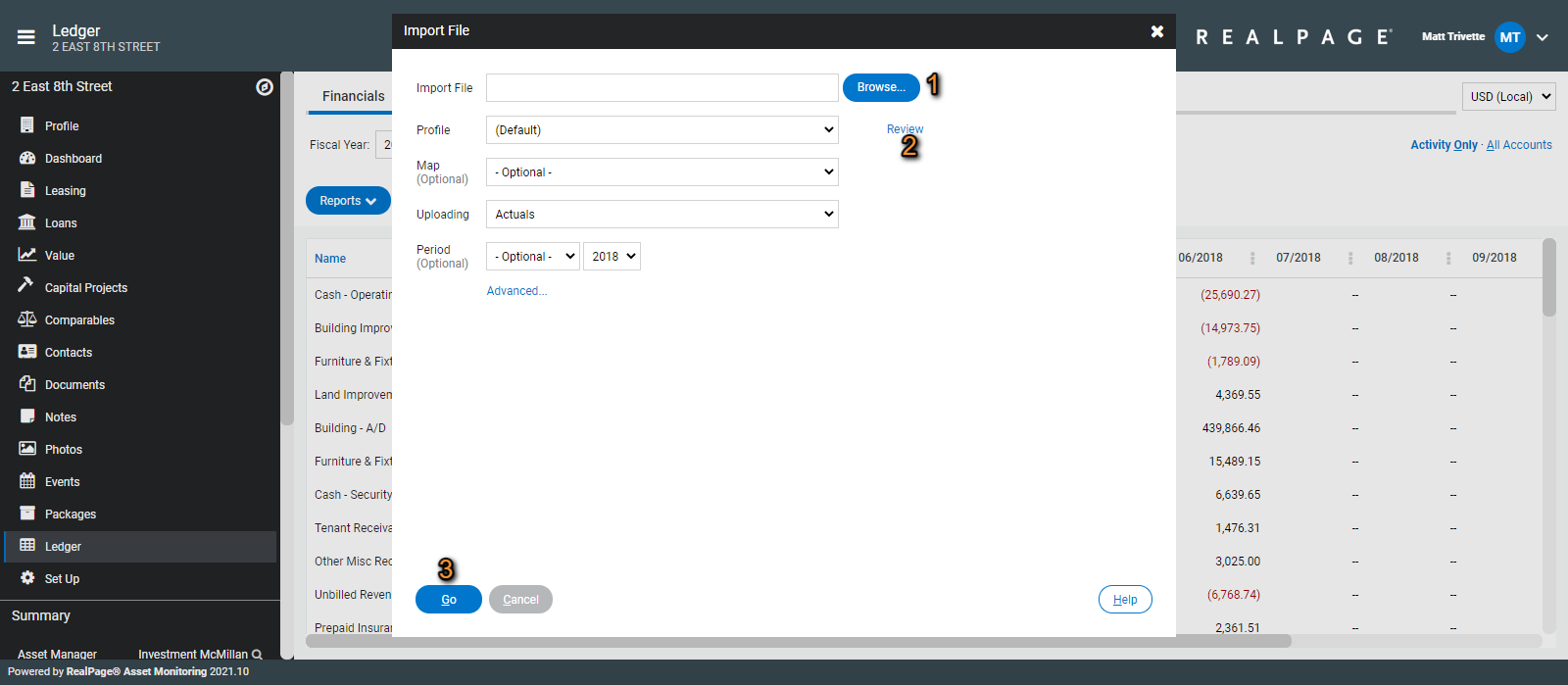
Browse to select your file (1). If you need to review the required file format, click Review (2). If a specific import profile or map is to be selected you can make those selections here as well, along with the period (not required if the file has period headers included) and then click Go (3) to Import.
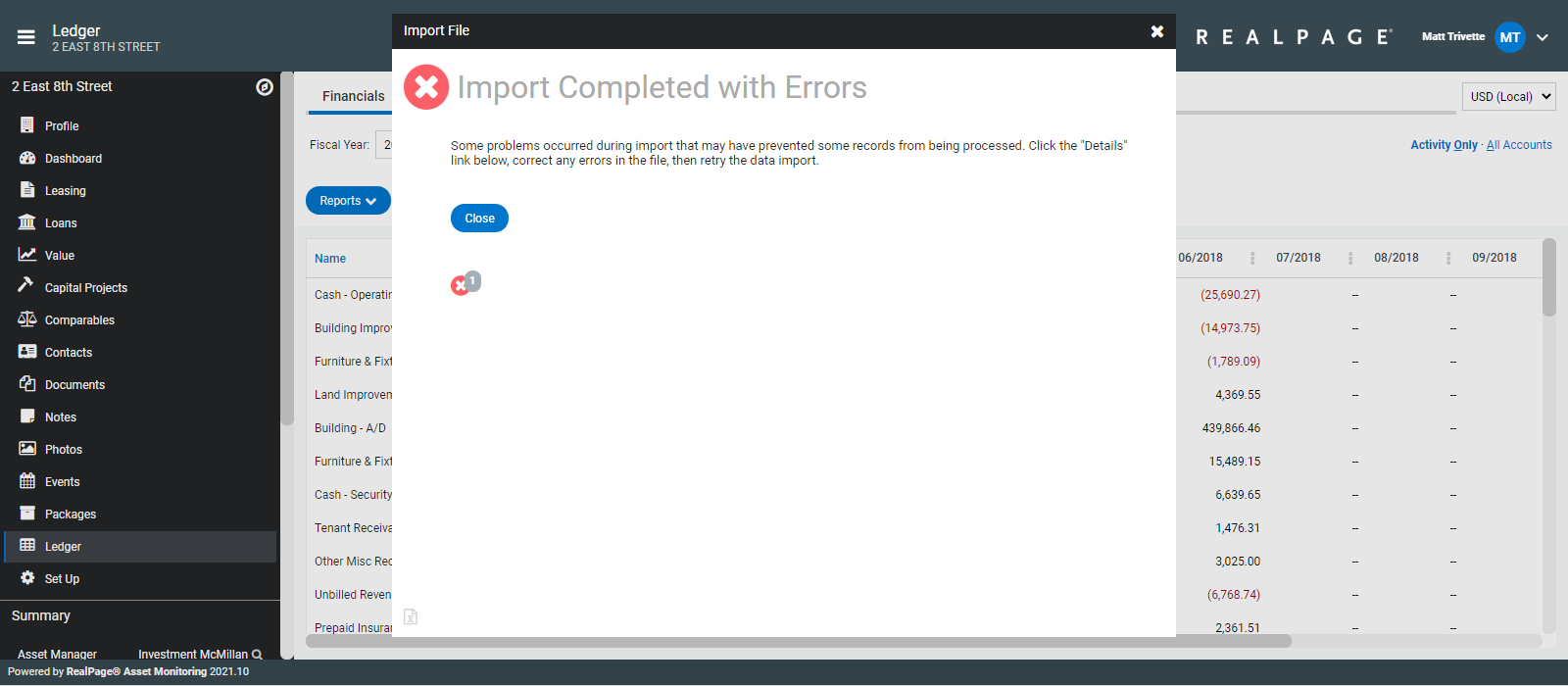
Review any errors or warnings after the data upload is complete.