Unbind a Package from a Property
This article will cover how to unbind a package from a property. By unbinding a package from a property you will:
1. Delete the package from the property so that no additional packages will launch
2. Remove the related workflow
3. Stop users from receiving package alerts
*Note that any packages already in process will remain in process until completed unless manually deleted.
To unbind reporting packages for the property:
-
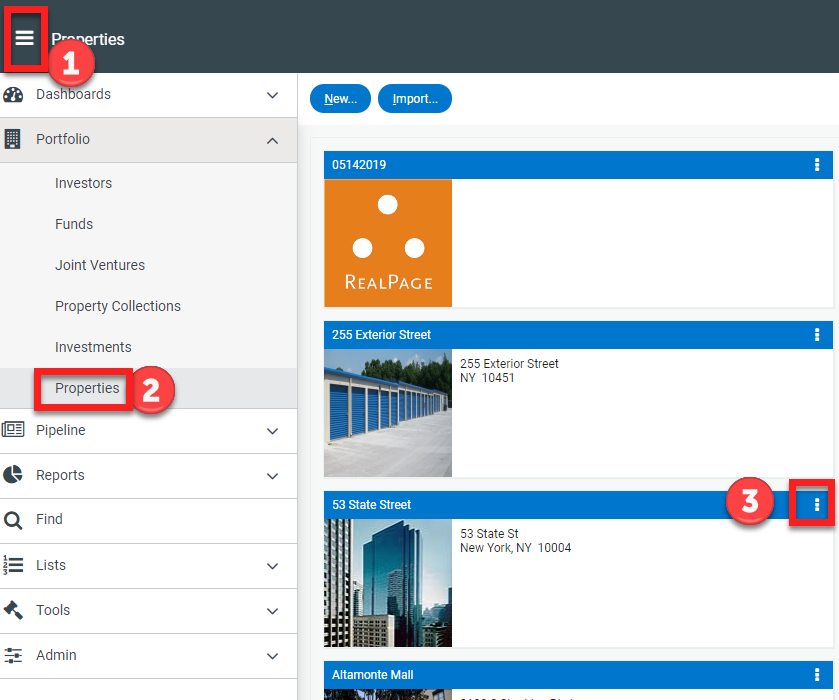
- Navigate to Portfolio>Properties
- Locate the property you wish to edit and click on the 3 dot menu to the left of the name
- Select Set Up
-
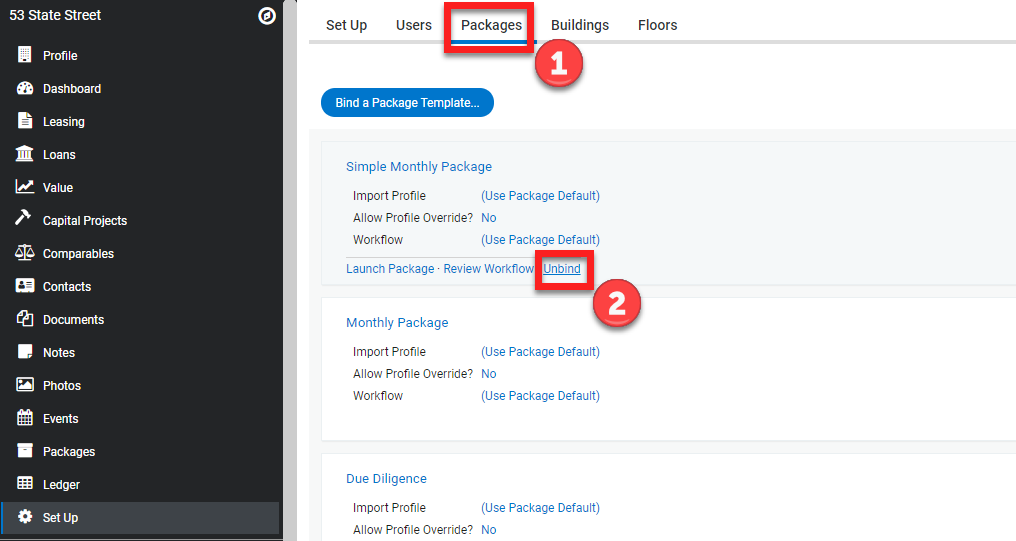
- From the Set Up menu click the Packages tab
- Hover your mouse just under the workflow name and action items appear below the gray line
- Click Unbind
- Click OK