Change Default Import Map for Properties
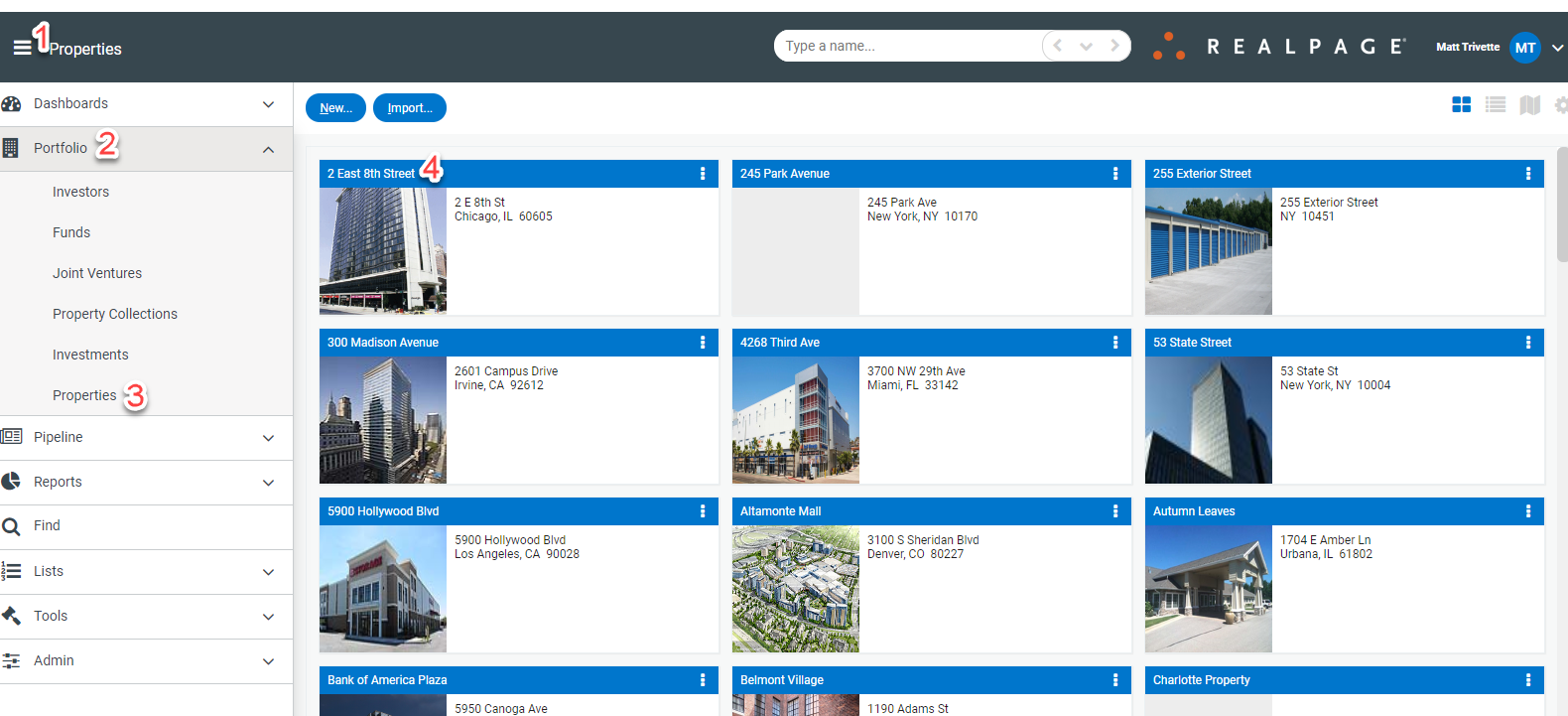
To change or add the import map for a property, navigate to Portfolio>Properties and select the property to be updated.
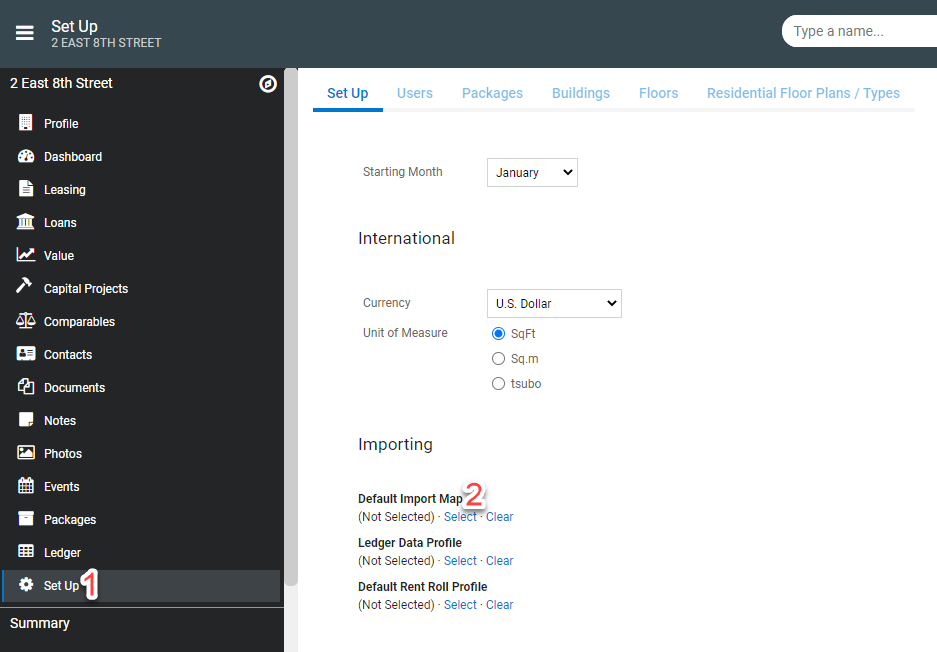
Select Set Up then locate the Default Import Map setting>Select to open existing import maps.
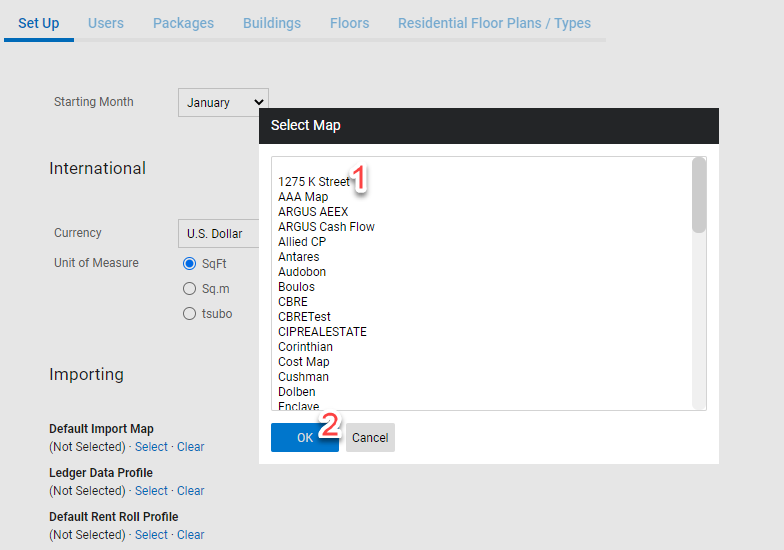
Choose the import map from the options and select Ok to add.