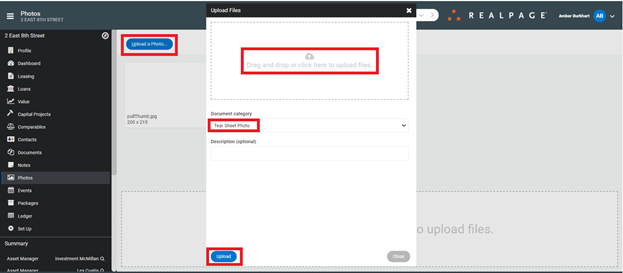
Add a Tear Sheet Photo
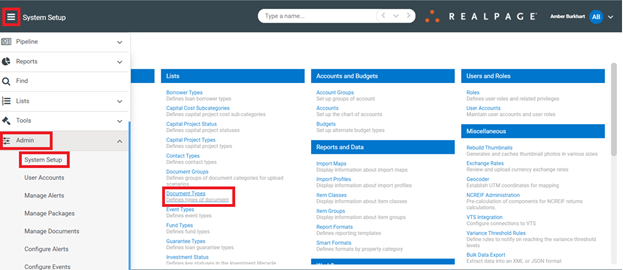
To add a new Tear Sheet Photo, click on the Menu > Admin > System Setup > Document Types
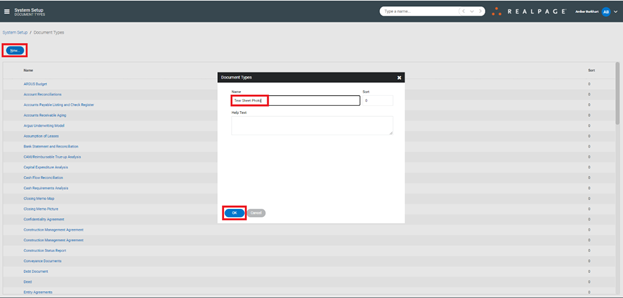
Create new type named “Tear Sheet Photo” (One-time setup) > “OK”
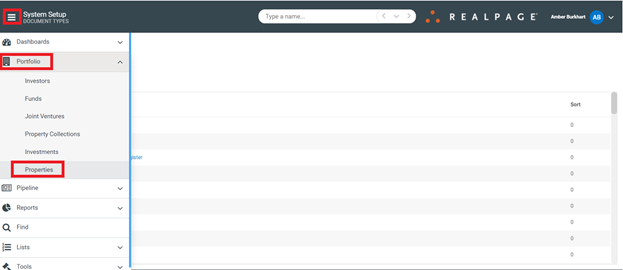
Click on Menu again > Portfolio > Properties
You will need to do the following for each property:
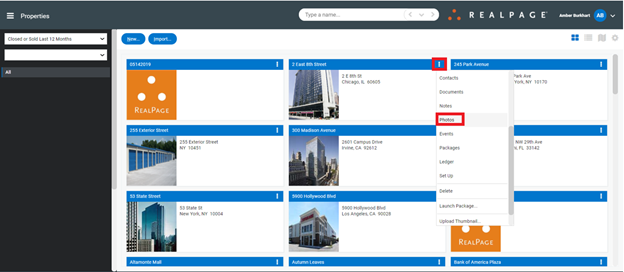
Click on the ellipsis > Photos
Click “Upload a Photo” > Add the photo you would like to use > change the Document Category to “Tear Sheet Photo” > “Upload”