Create a Budget Type
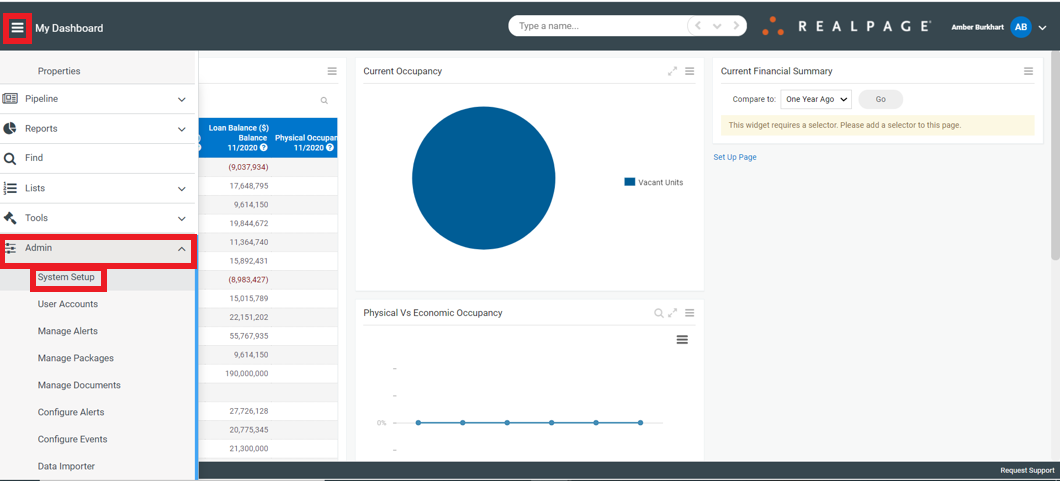
RealPage AIM supports the creation of multiple custom Budget Types. Underwriting and periodic re-projections are examples of custom Budget Types. A custom Budget Type can be created by navigating to the System Setup panel
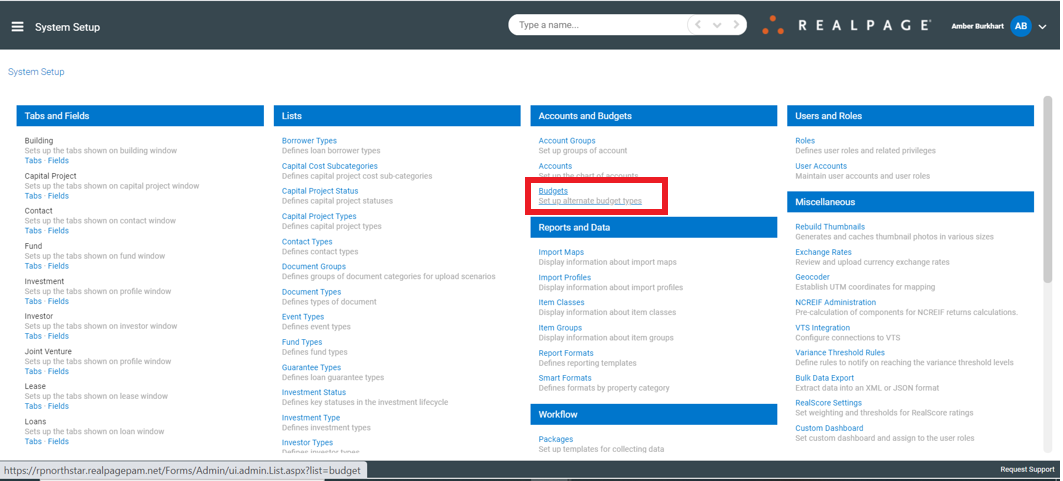
Select the Budgets link to open the Budget Type list
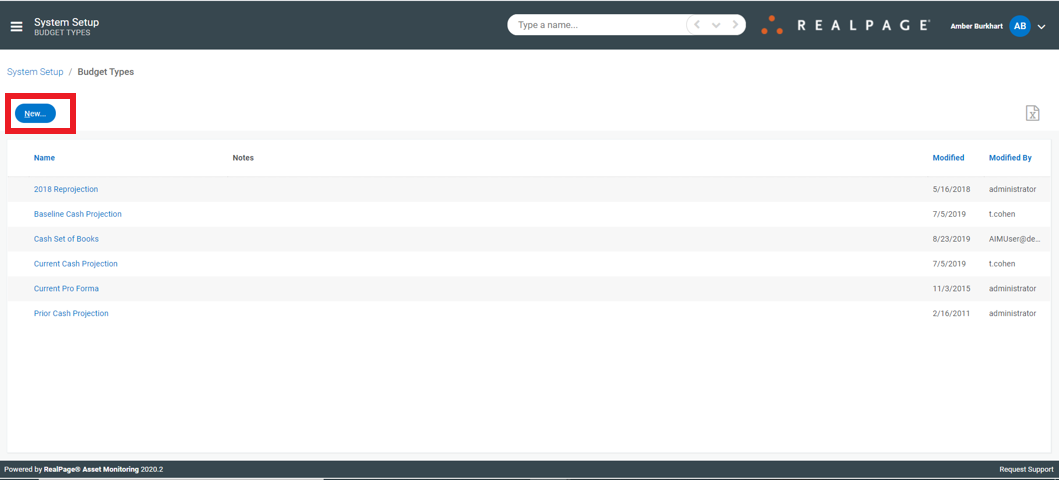
From the Budget Type list select the “New…” button to create a new Budget Type or select the name of an existing Budget Type to edit its name or add notes
Selecting to either create a new Budget Type or edit an existing one will open the Budget Type details dialog. Type the name for the Budget Type and optionally add notes to describe the purpose of the Budget Type.
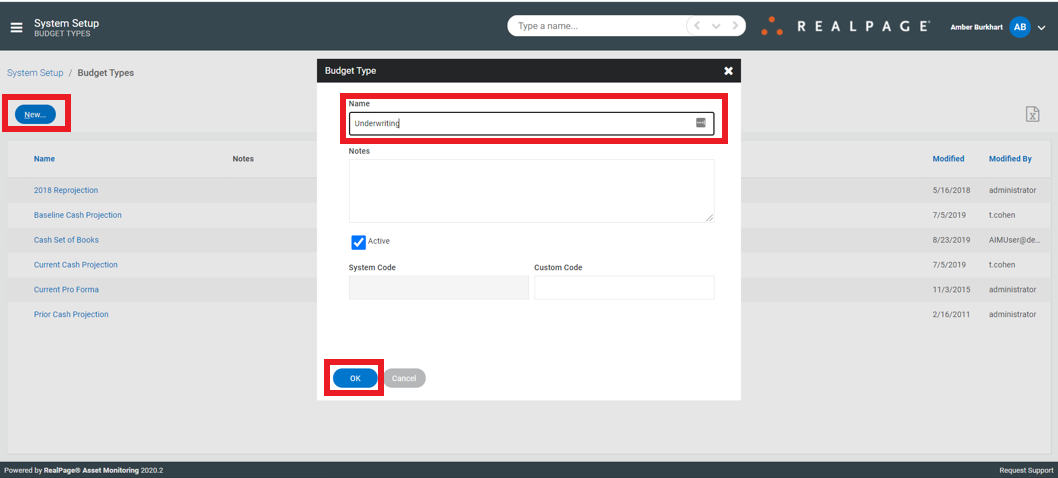
Select the “OK” button to save your changes.