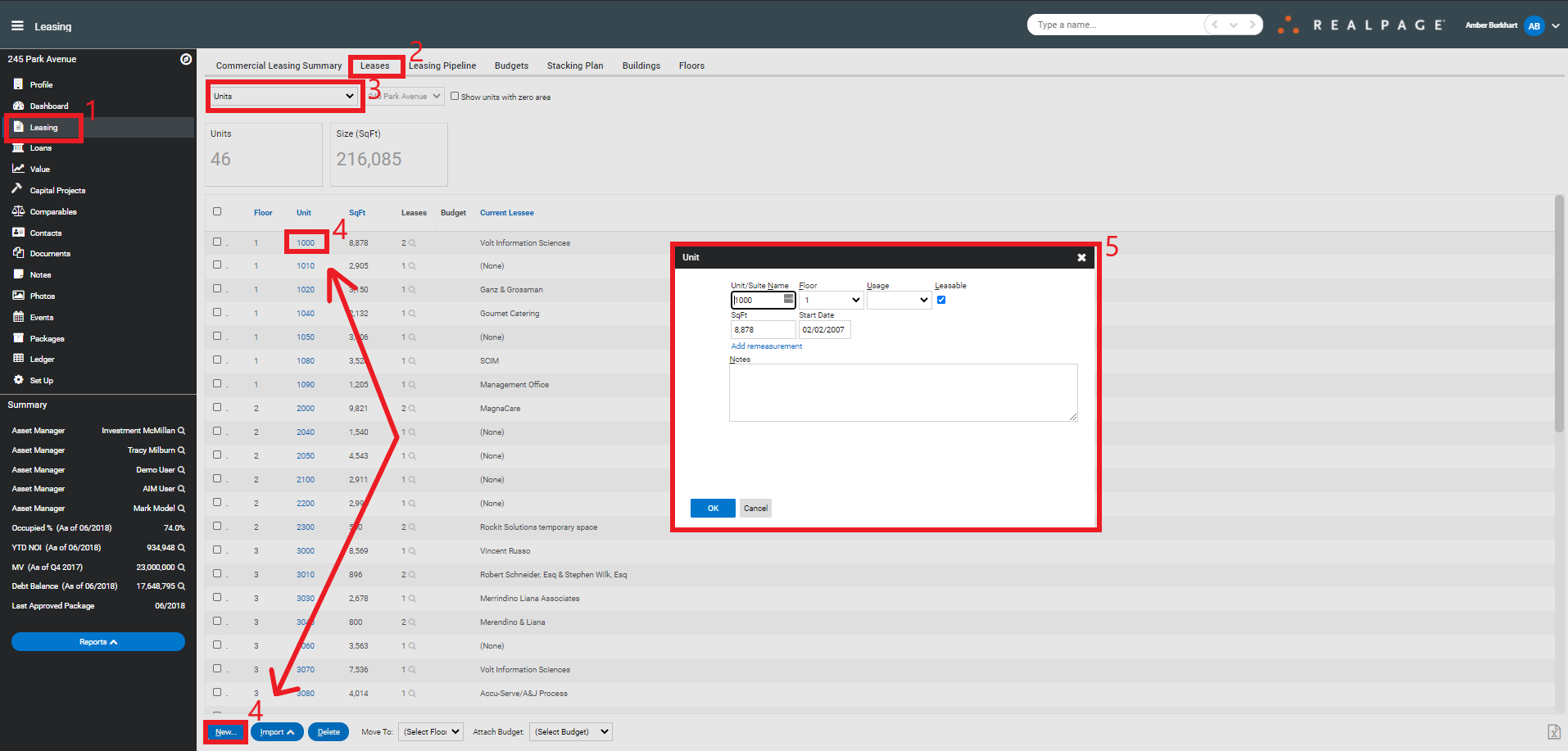
Creating/Editing a Unit
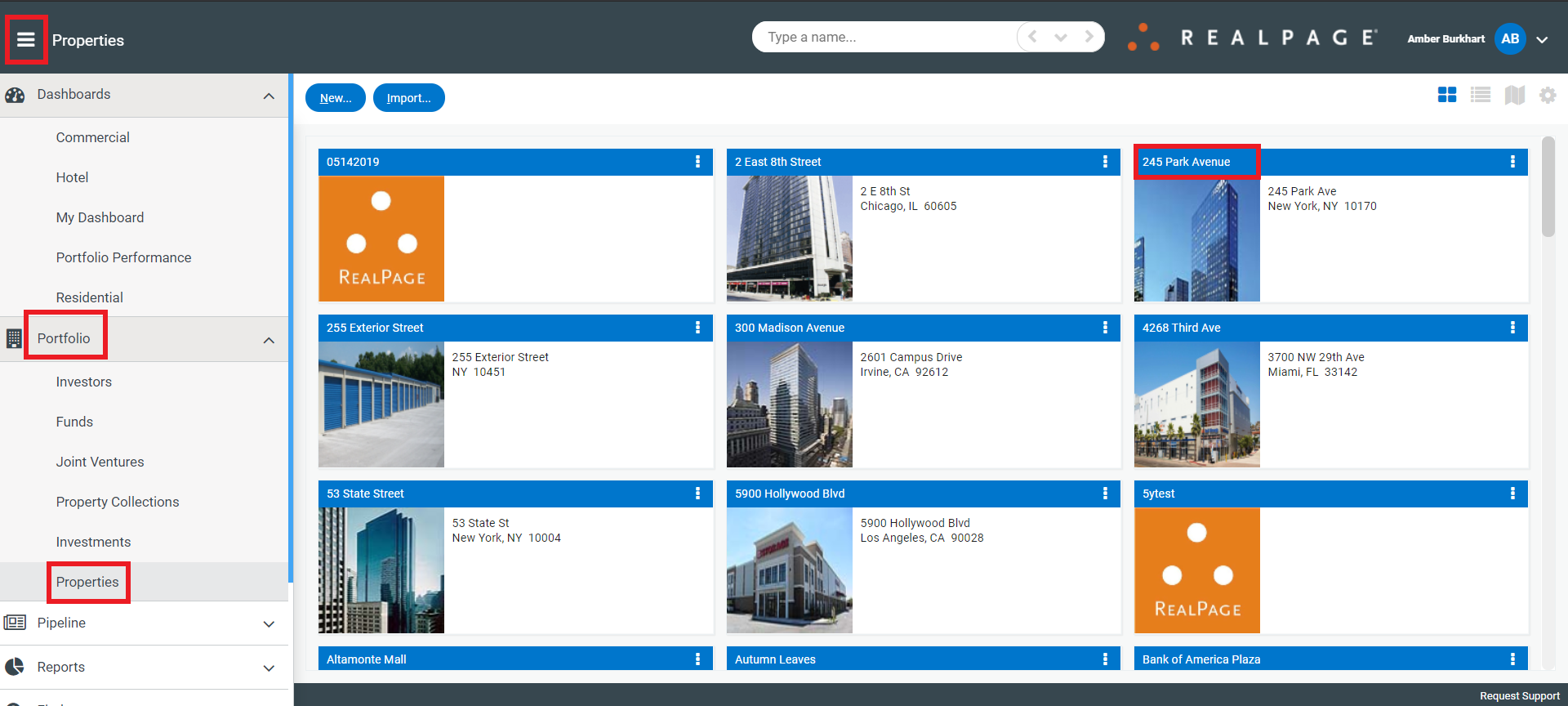
You can create a unit by navigating to the property by clicking the menu>Portfolio>Properties and click on the property.
Next, click on the Leasing section>Leases tab>change the display drop down menu to Units and select New or click on the unit you wish to edit. After filling in the unit information, click OK.